Createyourcontent.Chapterbychapter.
Gutenberg is the AI content studio for publishers. Every house gets its own set of tools, built around the books it makes and the students and teachers they’re made for.
- Teacher-facing content
- Student-facing content
- Tools built to your needs
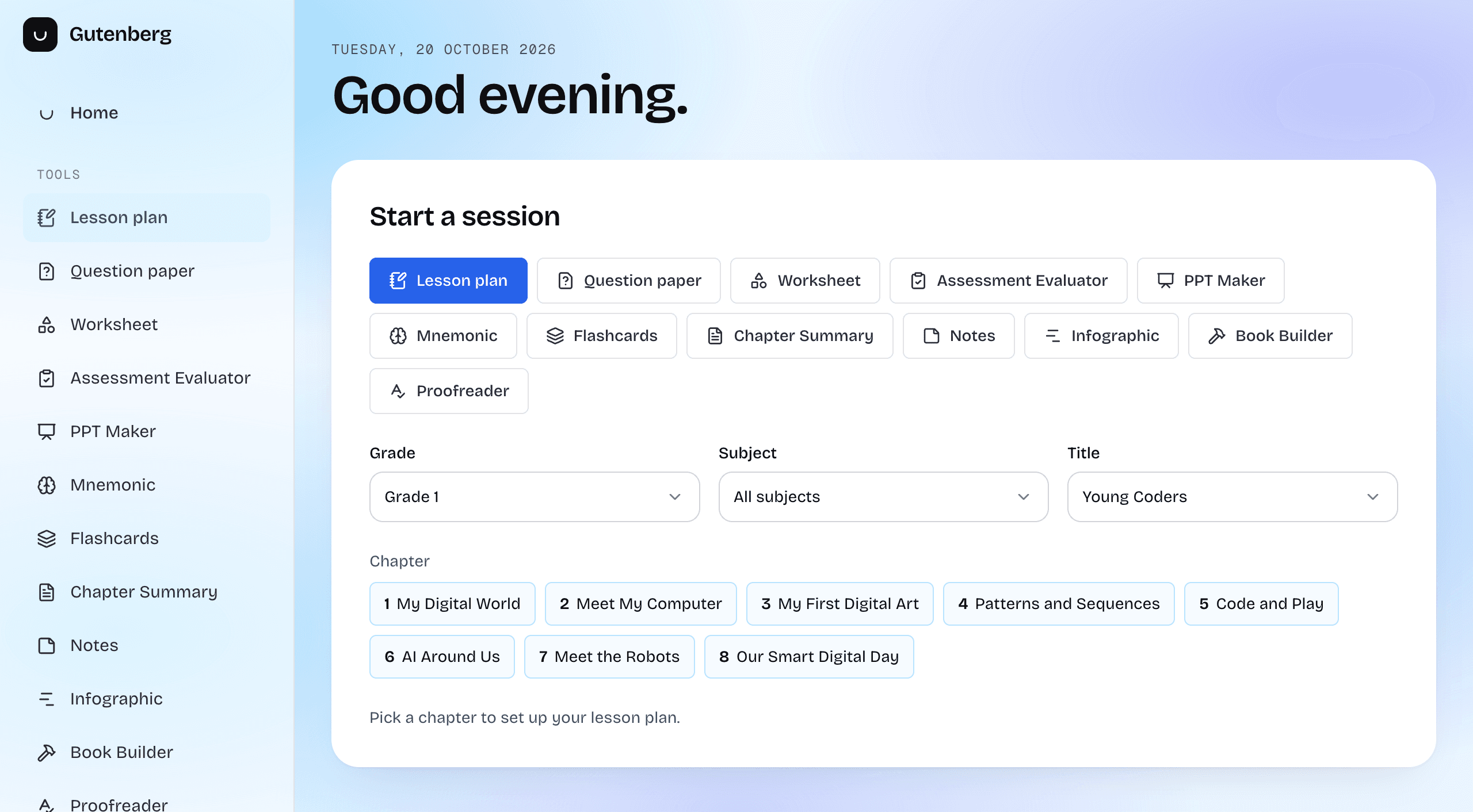
Tools shaped around your publishing house. Not a one-size-fits-all menu.
Every publisher gets their own set, built for the books they make and who they make them for: teachers, students, or both. This is what the studio can make today. Need something that isn’t here? We build it to your brief.
Teacher-facing
For the person at the front of the classLesson-ready material and the means to check work.Lesson Planner
Timed, classroom-ready lesson plans from any chapter.
PPT Maker
A slide deck for the chapter, ready to download as PPTX.
Assessment Evaluator
Check student answer sheets against the paper and answer key.
Student-facing
For the child with the book openPractice and revision material that sits beside the textbook.Question Paper
Board-format papers with marking schemes and answer keys.
Chapter Summary
Short, structured summaries of a chapter or chosen topics.
Notes
Smart notes as bullets, paragraphs, Cornell notes or a concept map.
Flashcards
Revision cards for the topics you choose.
Mnemonic Generator
Acrostics, rhymes and memory tricks for hard-to-recall facts.
For both
Teachers use it, students learn from itContent that works in the classroom and at home.Worksheet & Activity
Practice worksheets with the question mix and difficulty you pick.
Infographic
Turn a topic into one clear, labelled visual.
The publishing desk
For editors and production teamsWork on the book itself, not just a chapter of it.Book Builder
Turn your curriculum documents into a complete textbook pack.
Proofreader
Upload a finished book and get it back with every finding as a comment.
From a chapter to finished content, in four steps.
Pick a book
Choose the grade and subject, then the title you want to work from.
Pick a chapter and topics
Point a tool at one chapter, or just the topics you need today.
Set it up with a form
Duration, difficulty, question mix, language. Simple options your team already understands, no prompts to write.
Create, then share or download
Watch it come together, then send it on or save it as a PDF or Word file.
Made for the people who make the books.
Your workspace, your tools
Every publisher signs in to their own workspace and sees only the tools set up for them. Different houses, different toolsets.
Built from your books
Tools work from a book’s own chapters and topics, so what you create stays tied to your content.
Forms, not prompts
Editors choose options. They don’t need to learn how to talk to an AI.
From a worksheet to a whole book
Make a lesson plan in minutes, or build and proofread a complete textbook pack.